Microsoft Office on Your iPad

In my continuing effort to make my iPad as functional as possible for personal and business travel I continue to seek the best apps to achieve this goal. Over the past few weeks two Apps have become available for the iPad that let you display and edition Microsoft Office documents and do PowerPoint presentations. There is at least another app out there that does PowerPoint presentations, but to have an app that encompasses all of the products I need would be preferable. The two apps I have been testing are CloudOn and OnLive Desktop.

Combo clouds

Traveling With Your iPad as Your Computer

Last week I set off for an initial visit with a new client with the following technology:

This was the very 1st time I have gone to a client’s office without my laptop. I have been preparing for this for several months. I have traveled a couple of times on personal business and one conference with these tools in order to become comfortable with relying on these tools. It also has taken a good deal of research and testing to find the Apps that allow me to do this.

Apps

Testing Blogsy for iPad

 I continue to search for tools that will allow me to be productive on my iPad while traveling or out and about. One of the areas that I have really struggled with a great blogging app. While WordPress has an app, it just doesn’t give you the tools you really need for doing hyperlinks, adding media, etc.
One of my favorite apps is Zite. It searches the web for content based on the categories I have chosen. An article “How the iPad Became My Favorite Computer“. I already use the Zagg keyboard that is mentioned in this article. I will check out some of the other apps discussed, but I immediately downloaded the Blogsy app.

New Technology – Hesitation and Surprise

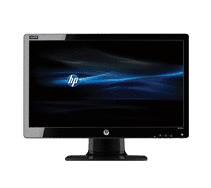
Some days new technology (at least to you) and change are imposed on you by no choice of your own. Several weeks ago my 19″ monitor that I use with my laptop just kicked-the-bucket in the middle of the day. I thought no big deal. HAH!

It seems that it is very difficult to find the “old” style square monitor. They are all wide screen now. In my mind I’m thinking:

  • How is Microsoft Word and Excel going to work here?
  • Won’t it distort the Word page and not look like I expect when working on a client’s template?
  • I don’t game, why would I possibly need a wide screen monitor?

NewImage

YES – Your Agency Needs an APP

You might have been slow to get a client friendly, interactive website. You may not even be there yet. You might have been slow to get into social media. And, again you may not even be there yet. However, you DO NOT want to be slow to get an APP for your agency. Let’s discuss why this is so important to you, your brand and your agency.

Sample Contact Page

Joining the Touch Screen Generation

As I continue to expand my work with insurance agencies further into the social media world, it became clear to me that I needed some sort of touch screen device. One cannot be clear on the why, how, when, etc. unless one is able to fully engage and experience.  I also believe that it is important to be able to show people what you are talking about and great examples of good use of technology.

NewImage

How to Plan for A User Group Meeting

I got some great feed back on my blog Reflecting On User Group Meetings. Thanks to all that commented at this blog, on facebook and via twitter. I used a picture in the previous post that showed the audience bored and asleep. I have attended many user group meetings where, while no one had their head on a table they were dosing or not paying attention. In order to get a different result you must plan what and who should attend.

Happy Audience.jpg

Reflecting on User Group Meetings

I am on my way to a user group meeting. I have been to many of these over the years. User groups vary in size and the structure of their meetings. Generally they are structured on the premise of providing information and training to their user base. Some user groups do a better job at this than other do. Does this picture look familiar.? Have you ever felt like this during a session or several sessions?

Apple School

Last week I attended my first Apple school session. My One-On-One session was great. Rachel, my instructor, was knowledgeable, had great teaching skills and was fully engaged in our session. However, it was a challenge to keep my people watching habit under control and pay attention to why I was there.

exclusive_workshops.jpg

Moving to MacBook Pro

I have been thinking about a new laptop for awhile. My current one is 4 years old and giving me a good deal of grief. When we visited with our granddaughter in September she had acquired a MacBook Pro. She is studying graphic arts and the classes require that she use Mac software. I enjoyed using her MacBook and added this to my list of considerations. I have spent a great deal of time researching what I want. I am tied to a windows computer in order to work with certain programs used by my clients. So who says I can’t have two laptops? Here she is all dressed up and ready for the party(ies).

IMG_3246

IMG_3247